If your PSA is where deals go to get lost, you already know the tax. Pipeline tracked in a CRM nobody updates. Projects managed in a spreadsheet nobody trusts. SLAs monitored by whoever happens to be watching the queue. Every one of those gaps is a place where money leaks out and time gets burned cleaning it up.
Most PSA vendors have been promising to close those gaps for years. They move slow. Their platforms were built before AI was a real development tool, and it shows in every release cycle.
Rev.io was built differently. The dev team ships on an AI-native platform, which means they move faster than any legacy competitor in this space. The Apollo 2 Spring Release is what that speed looks like in practice: five major capability areas and eight new integrations, all aimed at the workflows that make managed services ops harder than they should be.
This post breaks down what shipped, what it changes for your team, and what's coming next.
Your Pipeline Finally Lives Inside Rev.io
For most MSPs, closing a deal and starting the work are two different events with too many manual steps between them. Someone updates the CRM. Someone else creates the ticket. If that communication breaks down, and it does, the deal sits won but unstarted. Or it kicks off without the full scope documented.
Sales Opportunity Management is now native to Rev.io, embedded directly inside the customer profile alongside quotes, service history, and billing data. No separate pipeline tool. No tab-switching.
What changed in the Quotes tab
The customer profile's Quotes tab now surfaces three distinct areas: Opportunities, Quotes, and Proposals. Your team tracks deals in the same place where contracts and billing records already live.
- Deals in context. Open opportunities sit alongside the customer's full service record, so renewal and upsell conversations start from real history.
- Quote-to-contract automation. Once a quote reaches Completed status with all required signatures, Rev.io automatically creates a new ticket for one-time products and a new contract for recurring products.
- Zero manual handoff. The deal closing event creates the downstream work. The "did you update the PSA?" conversation disappears from your process entirely.
Open your last five closed deals and count the manual steps between quote signature and first ticket open. If that number is more than one, this addresses it directly.
Rev.io Project Management Shows You Margin While Work Is Happening
Managing a multi-phase deployment without live job costing means your margin number shows up after the project closes. At that point, you can report on what went wrong. You cannot fix it.
The Projects module in Rev.io connects timeline, tasks, tickets, and team coordination, with job costing that updates as hours are logged. That margin number is visible while work is happening, when you can still do something about it.
What the Projects module includes
Complex service delivery involves a lot of moving parts. Here is how the module connects them:
- Gantt view gives a visual timeline across phases and tasks. You know exactly where a project stands without scheduling a status meeting.
- Job costing updates margin in real time as techs log hours. Budget risk surfaces before the project closes, not after.
- PO visibility ties purchase orders to project scope so material costs do not vanish into a separate workflow.
- Multi-task coordination groups tickets and tasks under the project. All related activity is reviewable from one view.
Take 10 techs running three projects each per month. Catching a scope overrun mid-project instead of post-close compounds fast. Live margin is what makes that catch possible.
The shift from reactive to proactive project oversight means your service manager has something to act on before a job runs over. That changes how you price, how you staff, and how you retain margin at scale.
Four Service Management Upgrades That Fix Real Problems in Rev.io
Ticketing is the backbone of any PSA deployment. The Spring Release adds four capabilities to the Service module that address the most common sources of time waste and SLA risk in managed services operations. These are not interface refreshes. They are direct fixes to friction points that show up every day.
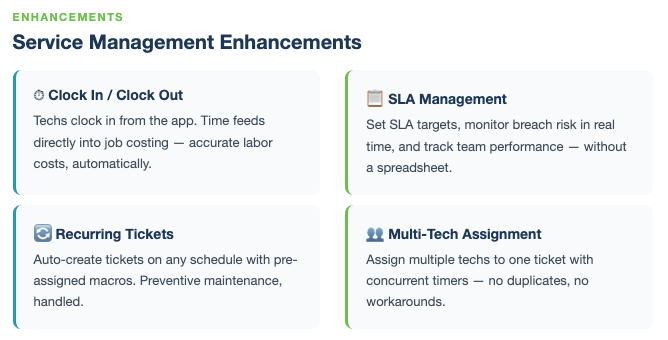
Clock In/Out
Techs can now clock in and out directly on tickets, creating accurate timestamps without relying on memory-based time entry at the end of the day. When time logging is tied to actual work activity, the gap between what your techs do and what gets billed narrows fast. A 10-tech team averaging just 5 minutes of inaccurate time logging per ticket at 60 tickets each per month loses over $6,200 in monthly billing accuracy at $125 per hour. Clock In/Out closes that at the source.
SLA tracking
SLA compliance used to depend on someone watching the queue. SLA tracking in Rev.io makes that visibility automatic:
- Every ticket displays its real-time standing against the contractual deadline, not just an open/closed indicator
- Tickets approaching breach surface in the queue before the deadline passes, giving your dispatcher time to act
- SLA timers tie to each customer's specific contract terms, so high-tier clients get high-tier response without manual sorting
Pull your SLA breach data for the past 90 days. If breaches cluster at a specific stage of your queue, that is a visibility problem. Active SLA tracking with proactive alerting addresses it directly.
Recurring tickets
Services that repeat on a schedule, including preventive maintenance, monthly check-ins, and quarterly reviews, now generate tickets automatically on the configured interval. Nobody needs to remember to create them, and no client falls through because a routine touch was skipped.
Multi-tech assignment
Complex jobs often need more than one tech. Multiple techs can now be assigned to a single ticket, each logging their own time independently. All entries roll up to the ticket automatically with no manual aggregation required.
PSA Analytics That Answer Questions From Your Actual Data
Most MSPs report by exporting to a spreadsheet, pivoting manually, and emailing the result to whoever asked. By the time that report lands, the data is stale. The question may already be moot.
The Analytics module in Rev.io runs on live data from your instance with no export step required. It ships with pre-built dashboards, a charts library, underlying datasets, and SQL Lab for teams that need custom queries.
What the Analytics module includes
- Pre-built dashboards are ready to browse and interact with. They run on live Rev.io data and do not require setup.
- Charts library lets your team explore individual visualizations for specific metrics without building a full dashboard first.
- Datasets show the underlying data tables behind every chart. Teams that want to validate what they are looking at before acting on it have that option.
- SQL Lab lets you write and run T-SQL queries directly against your data for fully custom analysis.
- Saved Queries let your team save, share, and reuse the reports they run regularly. Nobody rebuilds the same report from scratch twice.
Ask Revii in the Analytics module
Ask Revii is Rev.io's AI assistant, built natively into the platform. In the Analytics module, your team queries operational data in plain language. Describe what you want to see. The answer comes from your live data without building a chart from scratch.
When your service manager asks for last months tickets by customer and status, that answer should take seconds. With Ask Revii, it does. That is the kind of speed the AI-native platform delivers that legacy PSAs cannot match.
Eight New MSP Integrations So Your Team Stops Re-Entering Data
Every tool your team runs outside Rev.io is a place where data can get stuck. That’s why the Apollo 2 Spring Release adds eight integrations to the Integrations Library.
Setup is self-contained inside the platform. Your admin deploys the integration. Users configure their personal settings. Most do not require professional services.
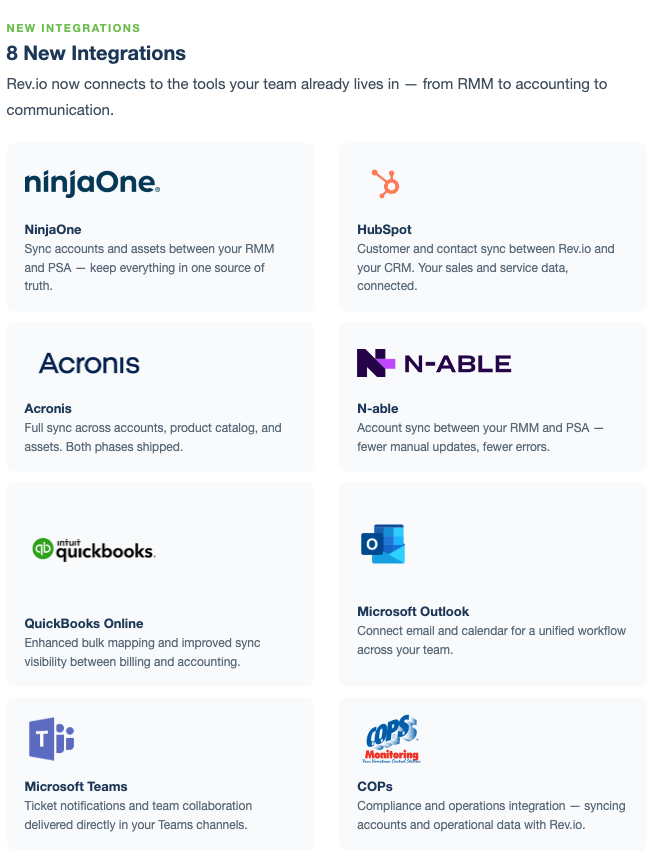
Count how many times your team manually moved data from one of these eight tools into your PSA last week. Multiply that by your average hourly labor cost. That number is what this integration set cuts every week, compounding forward.
|
Integration |
What it connects |
|---|---|
|
NinjaOne |
Contact and customer sync |
|
N-able |
Contact and customer sync |
|
Acronis |
Contact, customer and asset sync |
|
HubSpot |
Customer sync |
|
QuickBooks Online |
Accounting and invoice reconciliation |
|
Microsoft Outlook |
Email-to-ticket creation and calendar sync |
|
Microsoft Teams |
Service activity sync |
|
COPs |
Field service and operations coordination |
If you are evaluating whether a native platform can replace a fragmented stack, this is where that comparison gets concrete. More integrations are on the way as the dev team continues its current build pace.
What's Coming Next in Rev.io
The Apollo 2 Spring Release is a significant build, but the roadmap behind it makes the direction clear. Three capabilities are currently in active development:
- GPS/Geofencing brings location-based check-in verification and field team visibility to dispatch workflows, built for operations with techs on the road.
- Offline Mode gives techs full ticket access and time logging without a network connection. Built specifically for environments where current PSA tools break down.
- Revii on Mobile puts the AI assistant on the Rev.io mobile app. Techs can query operational data and get real answers from the field without needing a desktop.
The pattern here is consistent: platform depth pushing further into field service scenarios. If your operation runs field technicians, the next few releases are built for your team.
Conclusion: Your PSA Should Handle the Handoffs
MSPs have been managing pipeline in one tool, projects in a second, and reports in a third for years. The workaround was hiring someone to hold it all together. The cost of that workaround keeps going up. The PSAs that created those gaps are not moving fast enough to fix them.
Rev.io was built AI-native from day one, and the dev team ships like it. With the Apollo 2 Spring Release, deals close and tickets open automatically. Projects track live margin while work is happening. SLAs get flagged before they breach. Analytics answer questions from your actual live data. If you want to see what a consolidated PSA looks like for your operation, request a demo.