Let’s be honest, most of your MSP’s tickets shouldn't exist. Password resets. "My printer won't connect." The same disk space alert on the same server for the third time this month. Your techs know it too. They're spending half their day on work that doesn't require their expertise, and the backlog keeps growing anyway.
The numbers back this up. Gartner found that 30-50% of all service desk calls are password resets alone. Add in basic access changes, printer issues, and routine troubleshooting, and you're looking at the majority of your ticket volume going to work that a well-configured automation could handle without human intervention.
The MSPs that have figured this out aren't using some secret AI tool you haven't heard of. They're just doing the fundamentals well:
- RMM alerts that create tickets automatically
- Workflow rules that move tickets through your service desk without manual intervention
- Self-healing scripts that fix common issues before anyone submits a ticket
SDI research shows 30% ticket reduction from foundational automation alone. Some shops hit 40% or higher once they get the fundamentals dialed in.
This guide breaks down exactly what those automations look like, how to implement them without disrupting your current operations, and what kind of reduction you can realistically expect.
Why Your Ticket Volume Keeps Climbing
Before jumping into solutions, it's worth understanding why ticket counts grow even when you're not adding clients. Three dynamics drive most of the bloat, and they all compound each other.
1. Manual Handoffs Create More Work Than They Save
Here's a scenario that plays out dozens of times a day at most MSPs:
→ RMM fires an alert → Tech sees it in the dashboard → Tech copies the relevant info into a new ticket → Tech assigns it to themselves or someone else → Tech starts troubleshooting.
That copy-paste step takes maybe two minutes. Multiply it by 50 alerts a day across your team, and you've burned almost two hours of technician time on data entry.
But the real cost isn't the two hours. It's the alerts that slip through because someone was busy, distracted, or assumed someone else would handle it. Those missed alerts don't disappear. They escalate:
- A disk space warning becomes a server outage
- A certificate expiration notice becomes an emergency call at 11 PM
- One missed handoff creates three or four tickets downstream
2. Small Issues Become Repeat Tickets
When you fix a problem but don't address the root cause, you're scheduling a future ticket. Your techs probably have a mental list of "regulars" who always seem to have problems:
- The client whose Outlook keeps disconnecting from Exchange
- The workstation that throws a blue screen every few weeks
- The VPN that drops when the user switches to WiFi
Each of these generates a ticket, gets resolved, and generates another ticket two weeks later. The pattern isn't the client's fault. It's a symptom of reactive support. Without proactive monitoring and automation that fixes recurring problems permanently, you're stuck playing whack-a-mole.
3. Disconnected Systems Force Double Entry
If your PSA, RMM, and billing are three separate platforms from three different vendors, you're duct-taping workflows together. 66% of enterprises say automating operations is their biggest IT challenge, and disconnected tools are usually why.
The symptoms show up everywhere:
- Data lives in silos
- Techs enter the same information multiple times
- Device counts in RMM don't match what's in billing
- Custom integrations break when vendors update their APIs
The MSPs hitting 30-40% ticket reduction aren't just automating individual tasks. They're eliminating the tool sprawl.
The 5 Automations That Actually Move the Needle
Not all automation delivers equal results. Some look impressive in demos but barely dent your ticket count. Others are boring and invisible but eliminate entire categories of work.
Here's where your MSP should focus first, ranked by impact and ease of implementation.
1. RMM-to-Ticket Automation
When your RMM detects an issue, a ticket should exist automatically in your PSA with all relevant context attached. No copy-paste. No manual entry. No alerts sitting unacknowledged in a dashboard. This is the foundation everything else builds on. If alerts aren't becoming tickets automatically, you're relying on humans to notice problems and remember to log them. And that's where things fall through.
Here's what this looks like when it's working:
- CPU spikes above 90% for 10+ minutes? Ticket created, assigned to on-call tech, client notified
- Backup job fails? Ticket created with error log attached
- Antivirus definitions out of date for 48+ hours? Ticket created and flagged as security-related
This eliminates 15-30 minutes of daily data entry per tech. More importantly, it catches issues that would otherwise escalate into bigger problems. Rev.io connects RMM alerts directly to your service desk with context attached. Alert fires, ticket exists, diagnostic data included.
2. Workflow Rules for Status Management
Status updates feel trivial, but they add up. More importantly, inconsistent status management makes it impossible to get accurate reporting on where time is going. Tickets should move through your pipeline without techs manually shuffling them between statuses.
Rules that work:
- No activity for 48 hours + waiting on client info → Auto-change to "Waiting on Customer"
- RMM alert clears + ticket is open → Auto-change to "Pending Review"
- Client responds to closed ticket within 24 hours → Ticket reopens and assigns to last tech
- Ticket resolved + 72 hours pass with no reopening → Auto-change to "Closed"
This saves 5-10 minutes per tech per day on status housekeeping and gives you accurate data on ticket aging and resolution times. Rev.io's workflow rules let you set these conditions without coding. Define the trigger, define the action, and the system handles it from there.
3. Self-Healing Scripts for Common Issues
The best ticket is the one that never gets created. When your RMM detects a known issue, it should execute a remediation script automatically. The fix happens before anyone submits a ticket. The action gets logged to your PSA for documentation. Every issue that gets auto-remediated is a ticket your team never has to touch.
High-value targets for self-healing:
- Disk space above 90% → Run cleanup script, clear temp files, empty recycle bin
- Print spooler service stopped → Restart service, log action
- DNS resolution failing → Flush DNS cache, reset network adapter
- Specific application crashes → Kill process, restart application, notify user
You don’t need robust AI tools to make this work. Basic scripts handling the top 10 recurring issues will get you 10-20% reduction in total ticket volume, with higher gains for clients running older infrastructure.
4. Automated Billing Based on Managed Devices
This might seem like a billing feature, not a ticket reduction play. But billing disputes generate tickets. Each "Why did my invoice go up?" email is a ticket that eats 15-30 minutes of someone's time. When billing is accurate and transparent from day one, those conversations happen less often.
Common billing-related tickets this eliminates:
- "I don't think we have that many devices"
- "Can you send me a breakdown?"
- "Why did my invoice change from last month?"
- True-up reconciliation conversations every quarter
Tools like Rev.io let you automate billing based on the number of devices under management. Your invoices reflect reality because they're pulling from the same system that's actually monitoring those devices.
We’ve seen billing-related tickets drop by 50% or more when automated, plus a gain of 2-4 hours per month that was once dedicated toward reconciliation work.
5. Unified Platform (Eliminating Integration Gaps)
Every integration is a potential failure point. Every time you're pulling data from one system to enter into another, you're creating opportunities for errors and delays.
What breaks when systems are disconnected:
- API updates break custom integrations
- Syncs fail silently and nobody notices
- Data mismatches between platforms
- Ongoing maintenance burden for every connection
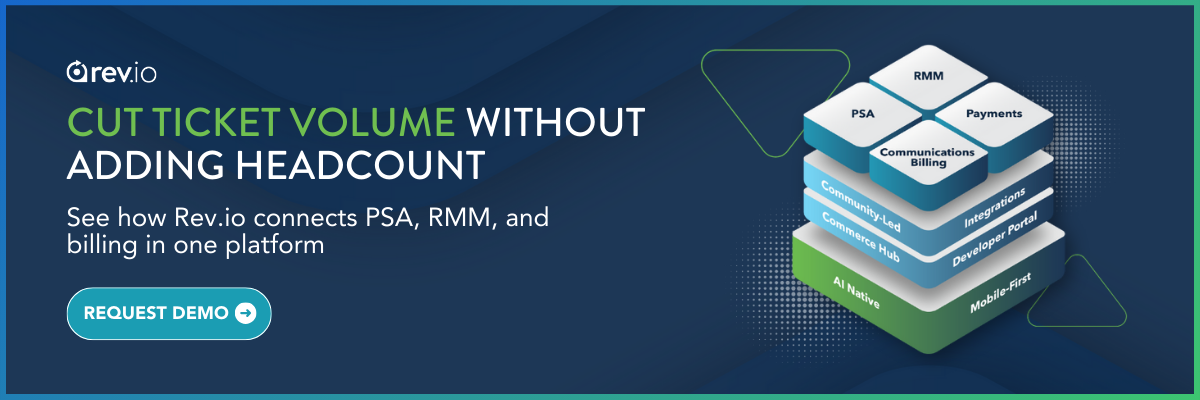
When PSA, RMM, and billing live in one system, data flows between functions without manual syncing or third-party integrations. A unified platform doesn't just make automation easier. It makes automation reliable.
Rev.io brings service desk, RMM, and billing into one platform. Alert creates ticket, ticket tracks time, time flows to invoice. No handoffs, no sync issues, no integration maintenance.
What the Math Actually Looks Like
Here's where the 30-40% reduction comes from. These numbers are based on a typical 5-technician MSP handling around 800 tickets per month.
|
Automation |
Tickets Eliminated |
% of Total |
|
Self-healing scripts |
120-160/month |
15-20% |
|
Prevented escalations (early detection) |
40-80/month |
5-10% |
|
Eliminated billing disputes |
15-30/month |
2-4% |
|
Reduced repeat tickets (root cause fixes) |
60-100/month |
8-12% |
|
Total Reduction |
235-370/month |
30-46% |
The actual numbers will vary based on your client mix and current tooling. Shops that are already running tight operations might see 20-25%. Shops with a lot of technical debt can hit 50%+.
The cost math is straightforward. Industry benchmarks put ticket cost between $15 and $50 depending on complexity. If you're eliminating 300 tickets a month at an average of $25 each, that's $7,500 in labor cost you're redirecting to higher-value work.
How to Roll Out Ticket Automation Without Breaking Everything
The biggest mistake MSPs make with automation is trying to do everything at once. They spend three months building the perfect system, launch it, and then spend another three months fixing edge cases.
Here's a better, phased approach approach:
Week 1-2: Audit Where Time Actually Goes
Have your techs track their activities for two weeks. Not in painful detail, just broad categories:
- Ticket work
- Admin/data entry
- Proactive maintenance
- Client communication
- Internal meetings
You're looking for the admin/data entry bucket. That's where automation has the most immediate impact. Also pull your ticket data:
- What are the top 10 ticket categories by volume?
- What's your repeat ticket rate?
- Which clients generate the most tickets per endpoint?
Week 3-4: Implement RMM-to-Ticket Automation
Start here because everything else depends on it. Configure your RMM to create tickets automatically for critical alerts. Start conservative with these:
- Backup failures
- Disk space warnings (above 85%)
- Antivirus/security alerts
- Hardware health warnings
- Service outages on critical applications
Run this for two weeks before expanding. You'll quickly learn which alerts create noise versus which ones drive real action.
Week 5-6: Add Workflow Rules and Self-Healing
Once tickets are flowing in automatically, add the rules that manage them:
- Status automation for tickets that age out
- Auto-resolve when alerts clear
- Reopening rules when clients respond
In parallel, identify your top 5 recurring issues from the audit data and build self-healing scripts for them. Disk cleanup and print spooler restarts are almost always on the list. Test each script manually before enabling auto-remediation.
Week 7-8: Measure and Adjust
Pull the same metrics you captured in Week 1-2 and compare:
- Tickets per endpoint
- Time spent on admin tasks
- Repeat ticket rate
If you're not seeing expected reduction, dig into why:
- Alerts creating too many tickets? Adjust thresholds
- Self-healing scripts failing silently? Check the logs
- One client skewing the numbers? Investigate their environment
This isn't a "set and forget" implementation. Plan to revisit and tune these automations quarterly as your client base evolves.
Conclusion: Make Ticket Automation Simple with an All-In-One PSA Solution
The automations in this guide aren't complicated. The hard part is getting your systems to actually talk to each other. When your PSA, RMM, and billing live in separate platforms, every automation requires duct tape. APIs break. Syncs fail. You spend more time maintaining integrations than benefiting from them.
Rev.io eliminates that problem by bringing PSA, RMM, and billing into one platform. Alert creates ticket, ticket tracks time, time flows to invoice. No handoffs, no integration maintenance, no wondering why data doesn't match.
Request a demo to see how it works for your operation.