If you're leading an outsourced IT support team right now, you're feeling the pressure to modernize your tech stack. And that pressure isn't just coming from within… it's coming from your clients who expect AI-driven efficiency, bulletproof security, and seamless integration across every platform you touch.
Meanwhile, you're managing talent shortages, juggling vendor relationships, and trying to stay competitive in a market where 92% of MSPs report that demand for AI-enabled tools is driving their business growth.
The question isn't whether you need the right IT service management tools. It's whether you have the right combination of tools to meet today's demands while positioning your team for tomorrow's opportunities.
This blog breaks down the five essential tools used in IT support, why they matter, and how a true service desk solution ties everything together to deliver the reliability and efficiency your clients expect.
Why Outsourced IT Teams Are Evaluating Their Tech Stack
If you're researching IT service management tools right now, you're not alone. The landscape has shifted dramatically, and most outsourced IT operators are reassessing their service desk toolsets for several critical reasons:
1. AI and automation are no longer optional
Your clients aren't just asking about AI—they're expecting it. With 92% of MSPs reporting that AI-enabled tools are driving business growth, the companies that can demonstrate automated ticket triaging, intelligent routing, and AI-powered resolution suggestions are winning contracts. If your stack doesn't include automation capabilities, you're already behind.
2. Cybersecurity scrutiny has intensified
Clients are asking harder questions about your security frameworks, compliance protocols, and threat detection capabilities. They want proof that your tools support zero-trust architectures, proactive monitoring, and rapid incident response. Your ability to articulate what platforms you use and how they protect data is now a competitive differentiator.
3. Cloud and hybrid infrastructure migration Is accelerating
Legacy systems are disappearing fast. Clients expect you to support cloud-first and hybrid architectures seamlessly, which means your tools need native cloud integration, automation capabilities, and the flexibility to manage diverse environments from a single pane of glass.
4. Integration fatigue Is real
Here's a sobering statistic: 78% of MSPs say ease of integration now ranks above price or vendor count when evaluating tools. Your clients are tired of disparate systems that don't talk to each other. They want bundled, integrated solutions that reduce complexity and improve service delivery. If your tools require constant manual handoffs or custom integrations, it's time to rethink your approach.
5. Help desk outsourcing is exploding
The global help desk outsourcing market is projected to reach $18.3 billion by 2033, up from $10 billion in 2024. With organizations now outsourcing an average of 55% of their help desk and desktop support functions, the competition for those contracts is fierce. Clients are vetting IT service desk vendors based on their tech stack, and the teams with proven, modern toolsets are capturing market share.
6. The talent gap Is widening
Finding skilled professionals in AI, cybersecurity, and cloud management is harder than ever. The right IT service management tools don't just improve efficiency. They help smaller teams do more with less by automating routine tasks and providing intelligent guidance for complex issues.
The bottom line? Your tech stack is no longer just an operational consideration. It's a strategic asset that directly impacts your ability to win clients, deliver excellent service, and scale sustainably.
Top 9 IT Service Management Tools Used by Outsourced Support Teams
Modern outsourced IT support requires a carefully orchestrated suite of tools that work together to deliver fast, secure, and proactive service. Here is the complete IT service management tool list, highlighting nine essential categories that form the backbone of successful service operations:
1. Ticketing and service desk software
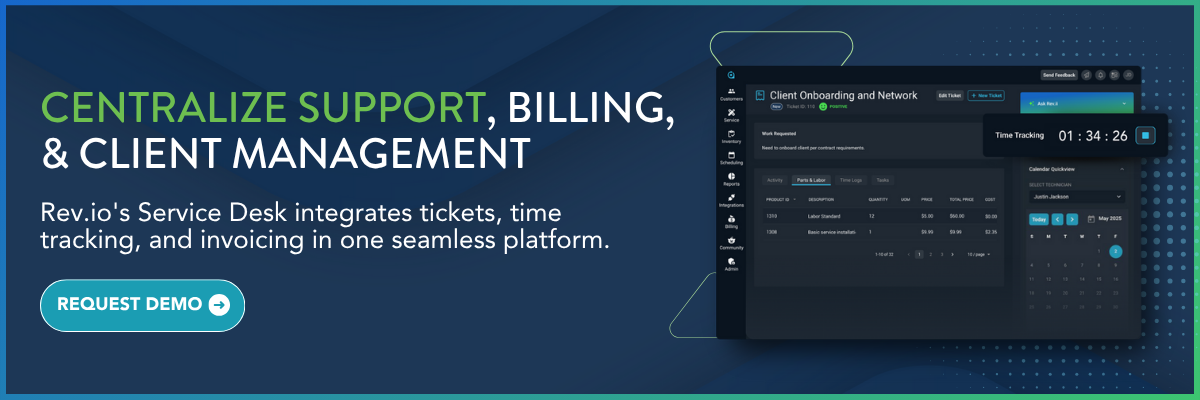
IT service desk tools are the central nervous system of your support operation. Without a robust ticketing and service desk platform, you're flying blind—unable to track requests, measure performance, or maintain the service level agreements (SLAs) that clients depend on.
The numbers are compelling: organizations implementing advanced service desk platforms have cut resolution times by 35% and seen productivity increase by 25%. Even more impressive, automating the ticket resolution process has resulted in 22% of total service desk tickets being resolved at practically no additional cost. For outsourced teams managing multiple clients with different SLAs and priorities, a sophisticated service desk is the difference between chaos and control.
The best service desk platforms deliver far more than basic ticket logging. Look for these essential capabilities:
- Intelligent ticket routing and SLA management - Automatic assignment to the right technician based on skills, workload, and priority ensures issues reach the right hands immediately, while automated escalations with real-time tracking prevent SLA breaches before they happen and protect your reputation.
- Multi-channel ticket capture with unified queue management - Clients reach out via email, chat, phone, portals, and social media… All these requests must funnel into one centralized system where your team can prioritize and respond efficiently without switching between platforms.
- AI-powered automation for ticket categorization and workload balancing - Intelligent systems can analyze incoming tickets, suggest resolutions based on historical data, and balance workload across your team automatically, reducing the manual overhead that bogs down traditional ticketing systems.
- Integrated knowledge base with contextual article suggestions - When relevant solutions surface directly within ticket workflows, resolution time drops dramatically. Self-service portals that connect to the same knowledge base reduce ticket volume by empowering users to solve common issues independently.
- Comprehensive performance analytics and reporting - Real-time dashboards tracking MTTR, first contact resolution, technician utilization, and client satisfaction provide the visibility needed to identify bottlenecks, optimize processes, and demonstrate value to clients with data-backed reports.
- Seamless connection to time tracking and billing - Every minute your technicians spend resolving tickets should flow automatically into accurate billing. When support, time tracking, and invoicing are disconnected, billable hours leak through the cracks and margin suffers.
2. Remote monitoring and management (RMM) tools
RMM software is the eyes and ears of your support operation, providing proactive device and network monitoring, automated maintenance, patch management, and performance analytics, all before clients even know there's a problem.
RMM software provides numerous operational benefits, with MSPs reporting a 40% boost in operational efficiency after adopting RMM software, and productivity increases of 15-25% through improved efficiency and reduced downtime. For outsourced teams managing hundreds or thousands of endpoints across multiple clients, RMM enables scalability without proportional headcount increases, allowing smaller teams to manage larger client bases while maintaining service quality.
When evaluating RMM solutions, there are several key features to look for:
- Real-time device and network health tracking across all client endpoints - Continuous monitoring sends actionable alerts before users are impacted, transforming your team from reactive firefighters into proactive problem-solvers who can address issues during maintenance windows instead of during crisis situations.
- Automated patch management that deploys updates without manual intervention - Policy-driven workflows that prioritize patches by severity ensure security gaps close automatically and on schedule, eliminating the vulnerabilities that come from manual patching processes while freeing technicians to focus on strategic work.
- Comprehensive performance dashboards showing system health and resource utilization - Centralized visibility into all endpoints gives you the data needed to predict capacity issues, justify hardware refreshes to clients, and demonstrate the value of proactive monitoring through detailed reporting.
- Endpoint Detection & Response (EDR) capabilities - Advanced threat detection goes beyond traditional antivirus to identify suspicious behaviors and stop attacks before they become breaches, providing the multi-layered security that clients increasingly demand.
- Integrated cloud backup and disaster recovery - When monitoring is tightly connected to backup solutions, you can ensure data protection policies are enforced automatically and recovery time objectives (RTOs) are met consistently across all client environments.
- Direct integration with your service desk - When RMM alerts automatically generate tickets with full context, your team responds faster and nothing falls through the cracks. Every alert, remote session, and action should flow seamlessly into your ticketing and billing systems.
3. Scheduling and dispatch management
For outsourced IT teams with field technicians or on-site service requirements, scheduling and dispatch tools are essential for coordinating work assignments, optimizing routes, and keeping teams aligned in real-time.
Without centralized scheduling, teams face delays, double-booking, missed appointments, and inefficient resource allocation. The result is frustrated clients, wasted travel time, and technicians who don't have the information they need when they arrive on-site.
When evaluating the best scheduling and dispatch solutions, prioritize these capabilities:
- Integration with service desk and time tracking - Dispatch workflows should connect directly to your ticketing system so work orders flow seamlessly from ticket creation to field assignment to completion and billing, eliminating manual data entry and ensuring consistency.
- Capacity planning and workload balancing - Visibility into each technician's schedule, skillset, and current workload enables intelligent assignment decisions that prevent burnout, reduce overtime costs, and ensure the right expertise reaches each job.
- Drag-and-drop scheduling with real-time visibility - Intuitive interfaces that allow dispatchers to assign and reassign work orders quickly while seeing live updates on technician availability, location, and current job status prevent scheduling conflicts and optimize utilization.
- Mobile synchronization for field teams - Technicians need instant access to job details, client history, and updates from the field. Two-way sync between dispatch boards and mobile devices ensures nothing gets lost in translation and job progress updates flow back to the office automatically.
4. Time tracking and expense management
Every minute your team spends on client work represents revenue, but only if those minutes are captured, tracked, and billed accurately. Without robust time tracking, valuable billable hours slip through the cracks, eroding margins and profitability.
The challenge is making time tracking effortless enough that technicians actually use it consistently. When time entry is cumbersome or disconnected from daily workflows, accuracy suffers and revenue leaks become chronic problems.
Essential time tracking capabilities include:
- Integrated timers within tickets and tasks - When technicians can start and stop timers directly from the work they're doing, whether it's a support ticket, project task, or field service job—time capture becomes automatic rather than an afterthought, dramatically improving accuracy.
- Real-time visibility into team utilization - Managers need dashboards showing how time is being allocated across clients, projects, and activities to identify inefficiencies, optimize staffing decisions, and ensure resources are deployed where they deliver the most value.
- Automated time-to-bill workflows - Manual processes of exporting time logs, matching them to billing codes, and transferring to invoicing systems create errors and delays. Direct connections that push approved time entries automatically into invoices eliminate friction and accelerate cash flow.
- Mobile time entry for field technicians - Remote and field-based team members need the ability to log time accurately from anywhere, with the context of which client, ticket, or project they're working on captured at the point of entry.
5. AI-powered automation
With most MSPs saying that AI-enabled tools are driving business growth, artificial intelligence has moved from "nice to have" to competitive necessity. But not all AI implementations are created equal and bolting AI features onto legacy platforms creates clunky experiences and limited ROI.
AI should be embedded throughout your operations, providing intelligent automation, predictive insights, and proactive recommendations that help teams work smarter without adding complexity.
Look for these AI capabilities:
- Intelligent ticket routing and categorization - AI that analyzes ticket content and automatically routes requests to the right technician based on historical patterns, current workload, and skill match reduces manual triage time and improves first-contact resolution rates.
- Predictive analytics for proactive service delivery - Systems that identify patterns in your data to flag potential issues before they become problems. Whether it's predicting which clients are at risk for churn, which endpoints are likely to fail, or where service bottlenecks will emerge, enable proactive rather than reactive management.
- Smart scheduling and resource optimization - AI that analyzes technician availability, job requirements, travel times, and historical performance to recommend optimal assignments ensures your team operates at peak efficiency while maintaining service quality.
- Automated workflow suggestions and process improvements - Rather than just executing predefined rules, AI that observes how your team works and recommends workflow optimizations, efficiency improvements, and automation opportunities creates continuous operational improvements.
6. Customer relationship management (CRM)
When account details, contact history, service records, and communication logs are scattered across email, spreadsheets, and multiple systems, your team wastes time hunting for information and clients experience inconsistent service as context gets lost.
A centralized CRM becomes the single source of truth for every client relationship, ensuring your entire team—from sales to support to billing—works from the same up-to-date information.
Critical CRM capabilities include:
- 360-degree client view consolidating all account information - Complete visibility into contracts, contacts, tickets, projects, billing history, and communication logs in one place ensures every interaction is informed by full context, enabling more personalized and effective service.
- Integrated communication history and activity logging - Capturing emails, calls, meetings, and notes directly within client records ensures nothing falls through the cracks and new team members can quickly understand relationship history without digging through scattered systems.
- Service and billing integration - Your CRM should connect directly to service delivery and financial systems so sales commitments align with what's actually delivered and billed, contracts automatically generate service configurations, and account managers have visibility into service quality and billing status.
- Cross-departmental visibility - When sales, support, operations, and billing teams all access the same client intelligence, the customer experience improves dramatically. No more asking clients to repeat information, missing upsell opportunities, or failing to recognize at-risk accounts.

7. Inventory and asset management
Inventory management prevents delays, reduces losses, and ensures every asset is tracked from procurement through deployment to billing. This is especially important for MSPs managing equipment, licenses, and physical assets across multiple client sites.
Without real-time inventory visibility, teams face equipment shortages that delay installations, lose track of valuable assets, and fail to bill for deployed hardware, all of which directly impact profitability.
When evaluating inventory management solutions, look for:
- Real-time inventory visibility across locations - Know exactly what's in stock, what's committed to jobs, what's deployed at client sites, and what needs replenishment without relying on manual counts or spreadsheets that are immediately out of date.
- Serialized asset tracking and lifecycle management - Track individual items from purchase through deployment, maintenance, and retirement with complete audit trails showing who has what equipment, where it's located, and its current status.
- Automated inventory billing and asset assignment - When parts and equipment are used on tickets or projects, they should automatically flow to invoices with correct pricing, eliminating the manual process of remembering to bill for hardware while ensuring nothing is missed.
- Integration with work orders and service delivery - Technicians should see inventory availability when planning jobs, reserve necessary parts before deployment, and update inventory status from the field so the entire team has accurate information in real-time.
8. Billing and payments
Billing complexity is one of the biggest operational headaches for outsourced IT providers- especially now that MSPs are offering more comms services that need usage based billing. As you juggle recurring services, project-based work, time and materials, usage charges, equipment sales, and multiple contract types, the need for accurate, timely invoices increases dramatically.
When billing is disconnected from service delivery, time tracking, and inventory management, revenue leakage becomes inevitable. Manual processes create delays, errors multiply, and cash flow suffers as invoices go out late or incomplete.
Comprehensive billing solutions should provide:
- Automated recurring and usage-based billing - Set up billing rules once and let the system automatically generate invoices based on contracts, service agreements, usage data, and committed services without manual intervention each billing cycle.
- Direct integration with time, tickets, and inventory - Every billable activity, whether it's time on a ticket, parts used in the field, or project milestones reached, should flow automatically into invoicing without manual data entry or risk of items being forgotten.
- Flexible billing models and consolidated invoicing - Support multiple contract types and billing arrangements while presenting clients with clear, professional, consolidated invoices that break down all charges in an easily understandable format.
- Integrated payment processing with automated collections - Seamless payment processing that captures cards on file, supports ACH and digital wallets, and automates payment reminders and collections workflows accelerates cash flow and reduces DSO (days sales outstanding).
9. Professional services automation (PSA):
Here's what separates good outsourced IT teams from great ones: they've stopped trying to force disconnected tools to work together through complex integrations and middleware. Instead, they've embraced unified PSA platforms that bring RMM, service desk, scheduling, time tracking, CRM, inventory, billing, and payments together at the core.
The benefits of a unified platform are transformative:
- Eliminated revenue leakage - When every activity from RMM alerts to field service to project work flows automatically into accurate billing, nothing falls through the cracks. No more unbilled time entries, forgotten hardware charges, or manual invoice corrections.
- Reduced operational overhead - One system means one interface to learn, one vendor to manage, one set of reports to review. Your team spends time delivering service instead of fighting with tools, and new hires become productive faster.
- Complete operational visibility - When all your data lives in one system, you get true end-to-end insights. See exactly which clients are profitable, which services drive the most tickets, where technician time is spent, and how operational changes impact financial results.
- Faster, more reliable service delivery - Seamless workflows eliminate delays waiting for information to sync between systems. Technicians have complete client history at their fingertips. Managers can reassign resources instantly. Clients experience consistent, coordinated service.
- Scalability without complexity - As you add clients, technicians, and services, unified platforms scale with you. There's no exponential growth in integration maintenance, data synchronization issues, or version compatibility nightmares.
The question isn't whether you need each of these nine tool categories—you do. The question is whether you can afford the complexity, cost, and risk of managing them as disconnected point solutions, or whether it's time to embrace a platform built specifically for the way modern MSPs actually work.

Conclusion: Your Tech Stack Is Your Competitive Advantage
The tools you choose define your service delivery capabilities, your operational efficiency, and ultimately, your ability to compete in the rapidly evolving outsourced IT support market.
The future belongs to MSPs who recognize that a unified platform isn't just a convenience. It's the foundation of operational excellence.
Rev.io is the AI-native PSA platform purpose-built for modern MSPs and service providers who refuse to accept the complexity and limitations of cobbled-together toolsets.
Stop juggling disconnected systems. Stop losing billable hours in the gaps. Stop explaining to clients why you can't give them the visibility they expect.
Schedule your demo of Rev.io today.